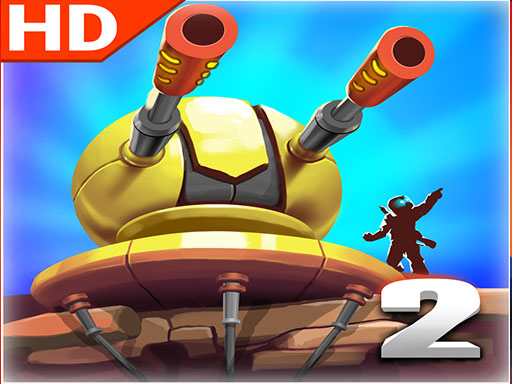
Epic Robot Combat Simulator
2 plays
Last updated: Jun 14, 2026
Description
Hop onto your Combat Suit, prepare your weaponry, and hunt down all your enemies all over space! Are you skilled enough as a Mech Pilot? Find out now!
How to Play
Desktop WASD Move around Number keys Change weapon Shift Dash Mouse Aim and Shoot Mobile Left Joystick Move around Right Joystick Aim and Shoot Use the buttons on the bottom right to switch weapons or dash
Quick Facts — Epic Robot Combat Simulator
- Genre
- Shooting
- Players
- Single Player
- Cost
- Free
- Download
- Not Required
- Platform
- Any Browser (Chrome, Safari, Firefox, Edge)
- Times Played
- 2
About Epic Robot Combat Simulator
Epic Robot Combat Simulator is a free online Shooting game that you can play directly in your web browser. Hop onto your Combat Suit, prepare your weaponry, and hunt down all your enemies all over space! Are you skilled enough as a Mech Pilot? Find out now! This game is available on Taplup and can be played instantly on desktop, mobile, and tablet without any downloads or installations.
Epic Robot Combat Simulator has been played 2 times by gamers worldwide on Taplup.
Why Play Epic Robot Combat Simulator?
Epic Robot Combat Simulator delivers a high-octane dual-stick shooter experience that seamlessly adapts from desktop precision to mobile touch controls, allowing you to dominate space battles on any device. The strategic depth of switching weapons mid-combat combined with the urgency of the dash mechanic creates a dynamic loop where tactical loadout management is just as crucial as raw aiming skill.
Game Features
- Precise aiming controls optimized for both mouse and touchscreen
- 100% free to play - no hidden costs or in-app purchases
- No download required - play instantly in your browser
- Works on desktop, mobile, and tablet devices
- Save to favorites and track your play history
- Fullscreen mode for immersive gameplay
Tips for Playing Epic Robot Combat Simulator
- Master the Shift key dash on desktop to quickly evade incoming enemy fire and reposition for better shooting angles.
- Proactively cycle through your arsenal using the number keys to ensure you have the optimal weapon range for distant versus close-quarters threats.
- Mobile players should keep their left thumb steady on the movement joystick while making micro-adjustments with the right aim joystick to maintain accuracy during strafing.
- Utilize the on-screen weapon switch buttons on mobile immediately after depleting a clip to avoid being caught unarmed during intense enemy waves.
Tagged with
anime, avoid, flight, robot, skill, space
More Shooting Games
If you enjoy Epic Robot Combat Simulator, check out more Shooting games on Taplup. We have hundreds of free Shooting games that you can play online without downloading.
Shooting →Frequently Asked Questions
How do I play Epic Robot Combat Simulator?
Desktop WASD Move around Number keys Change weapon Shift Dash Mouse Aim and Shoot Mobile Left Joystick Move around Right Joystick Aim and Shoot Use the buttons on the bottom right to switch weapons or dash. The controls are intuitive and easy to pick up for players of all skill levels.
Is Epic Robot Combat Simulator free to play?
Yes, Epic Robot Combat Simulator is completely free to play online. No downloads, installations, or sign-ups are needed — just open the page in any modern browser and start playing instantly. It works on desktop, tablet, and mobile devices.
How can I improve my aim in Epic Robot Combat Simulator?
Aim carefully before each shot rather than firing rapidly. Prioritize high-value targets first and make use of any cover available. Practicing tracking moving targets will sharpen your reflexes over time.
Are there different stages in Epic Robot Combat Simulator?
The game progressively introduces tougher enemies and more complex scenarios. Each stage brings new enemy types and obstacles, naturally building your skills as you advance.
Can I save my progress in Epic Robot Combat Simulator?
Your progress in Epic Robot Combat Simulator is automatically saved in your browser's local storage, so you can pick up right where you left off. No account registration is needed. Share the game with friends by sending them the link.